soidesmax®
START HERE

Installation & setup

Requirements, commands and the first steps for this template.

Version 1.0.0

Unzip, open index.html in a browser and follow the included README. The demo loads Google Fonts from CDN, so open it with internet on. Copy the files into your own project and restyle the CSS variables to match your theme.

USE IT IN YOUR PROJECTIncluded stack: HTML + CSS + JavaScript

Follow the included README first. These steps apply to the technologies listed for this product.

  1. Open the included HTML page and identify the markup for the section you need.
  2. Link the supplied CSS and JavaScript files, preserving the demo’s loading order.
  3. Copy its images and other assets with the same relative paths; test interactions and mobile layout.
A CLOSER LOOK

About this product

Overview

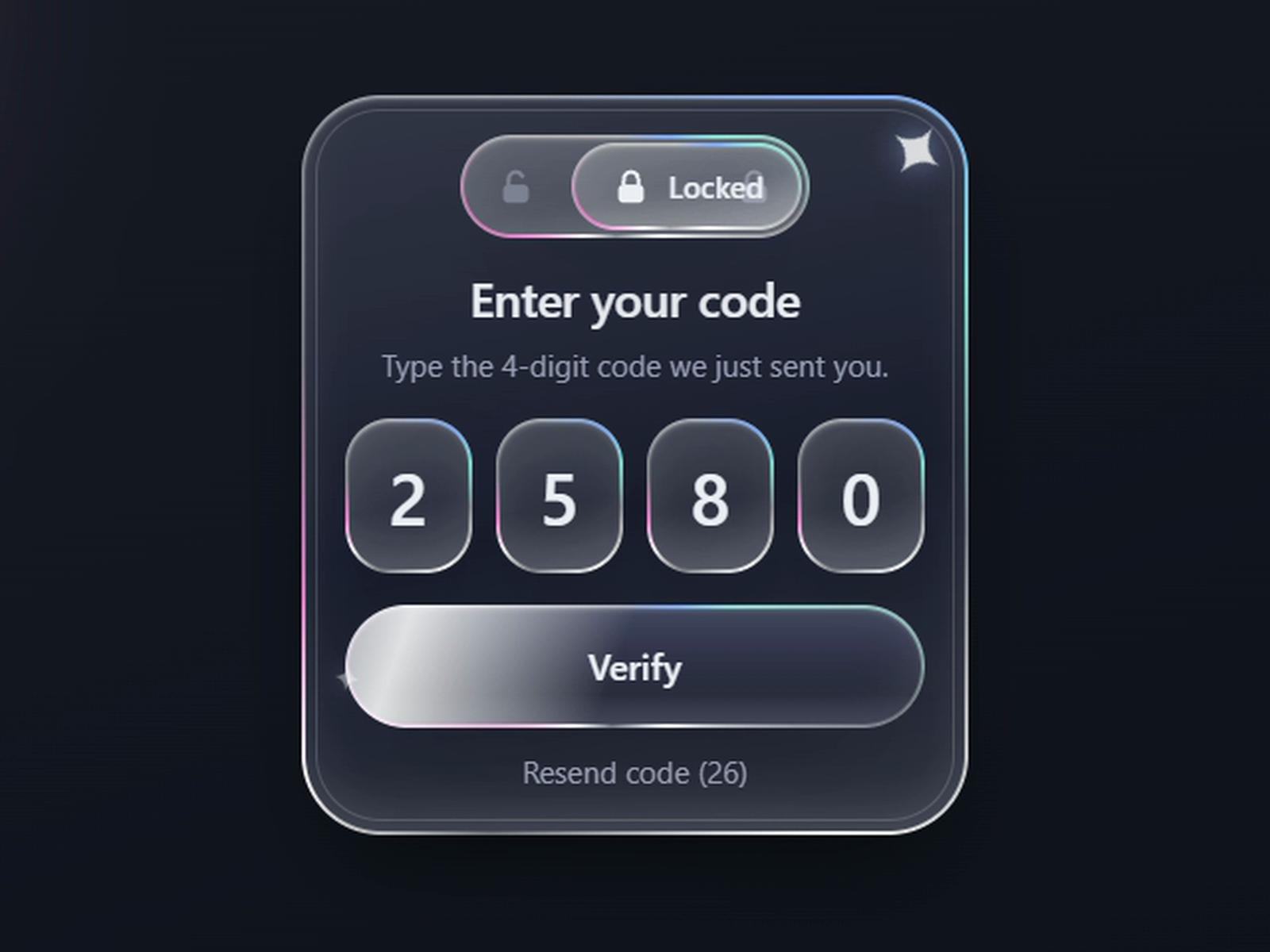
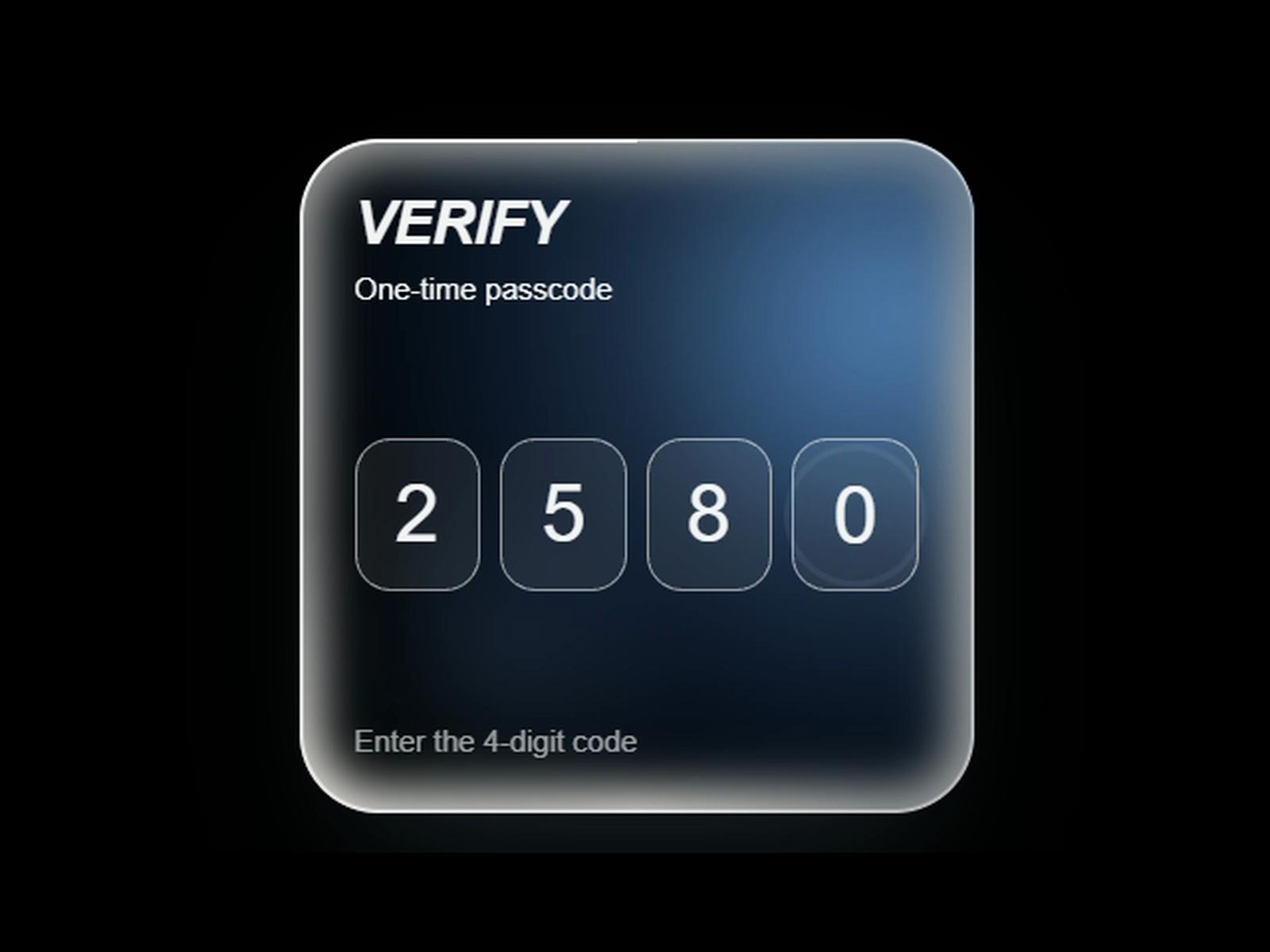
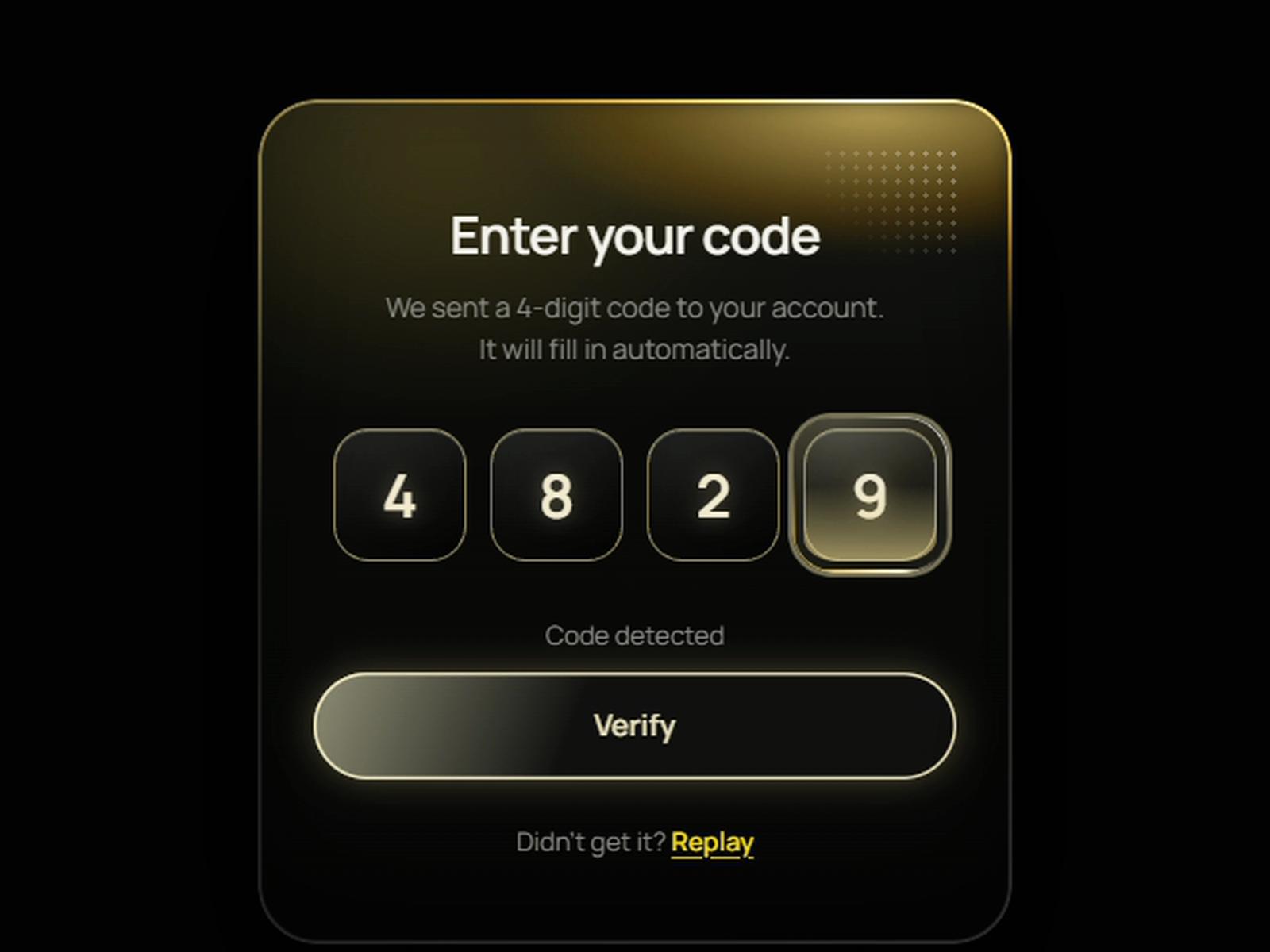
OTP Fire Input is a standalone one-time-passcode input with a fire-glow focus animation. Type a digit and focus moves to the next box automatically; backspace moves back. Three themes ship in the box (default, gold, purple) and switch with one class change.

What is inside

  • index.html demo page with the input wired up and auto-advance
  • style.css (default theme), style-gold.css, style-purple.css and switcher.css
  • script.js - digit handling, auto-advance, paste support
  • README.md and LICENSE.txt (License v2)

How to use

Open index.html to see it run, then copy the input markup plus one theme CSS file and script.js into your project. Change the theme by swapping the stylesheet.

Boundaries

Frontend UI only. No backend, no SMS or verification logic - wire the completed code to your own verify endpoint.

License & Support

License v2: buy once, use for unlimited end products - your own projects and projects you build for clients. No distribution, resale, source sharing, or use as a competing template/UI kit. Full v2 text is included as LICENSE.txt in the sold ZIP.

Included screens / pages

  • OTP input demo (index.html)

UI interactions

  • Fire-glow focus animation
  • Auto-advance to the next box on input
  • Backspace moves focus back
  • Theme switcher (default / gold / purple)

What you get

  • index.html
  • style.css
  • style-gold.css
  • style-purple.css
  • switcher.css
  • script.js
  • README.md
  • LICENSE.txt (v2)

Integrations

Frontend UI only. Read the completed 6-digit code from the inputs and send it to your own verify endpoint.

FAQ

Is a backend or SMS service included?

No. This is the input UI only - connect the completed code to your own verification endpoint.

How do I change the theme?

Swap the stylesheet: style.css for default, style-gold.css for gold, style-purple.css for purple. The switcher CSS handles the transition.

What does the license allow?

License v2: buy once, use for unlimited end products - your own projects and projects you build for clients. No distribution, resale, source sharing, or use as a competing template/UI kit. Full v2 text is included as LICENSE.txt in the sold ZIP.

Version 1.0.0 · Updated
BEFORE YOU GET STARTED

License & Support

One license. Unlimited projects.

One purchase covers unlimited end products for you and your clients. Customize the design and code, and use it in commercial projects.

You may not share, resell or redistribute the template or its source.

Updates
All v1.x updates included.
Support
Bugs and setup, within 2 business days.
Full license terms
**License** One purchase of this template covers **unlimited end products** — your own projects and projects you build for clients. You may use it in commercial client work, change the design and code, and ship it as part of your products, as many times as you like. The license belongs to the buyer (one person or one company). People working for the buyer on the buyer's projects may use it under the same license. You may not redistribute, resell, share, or sublicense the template itself or its source files, in whole or in part — whether standalone, bundled with other files, free, or paid. You may not use it to create a template, UI kit, or component library that competes with this product. **Updates:** all v1.x updates are free — re-download the latest files from your purchase email whenever a new version is released. **Support:** bug fixes and setup help within 2 business days, via support@soidesmax.com. The terms above are the terms in force at the time of your purchase and stay valid for that purchase, even if the license terms change later.
Read Template License v2